24Houring › 생활계획표 만들기
생활계획표 만들기Daily schedule maker
원을 눌러 나누고 끌어서 맞추면 끝. 무료 원형 생활계획표로 3분 안에 하루를 그려 보세요. 가입도, 설치도 필요 없습니다.Tap to split the circle, drag to fit, done. Draw your day in three minutes with a free circular planner — no sign-up, nothing to install.
3단계로 만들기Three steps
- 고정된 시간부터 — 수면, 등교·출근, 수업처럼 바꿀 수 없는 시간을 먼저 놓습니다.Fixed hours first — sleep, school or work, classes.
- 원을 나누고 맞추기 — 원을 눌러 블록을 나누고, 경계를 끌어 시간을 맞춥니다. 색과 아이콘으로 한눈에.Split and fit — tap the ring to split a block and drag its edges; colours and icons make it readable at a glance.
- 저장하고 인쇄하기 — 이미지·PDF로 저장해 인쇄하거나 공유하고, 요일마다 다른 계획표도 만들 수 있습니다.Save and print — export an image or PDF, share it, and keep a different plan for each weekday.
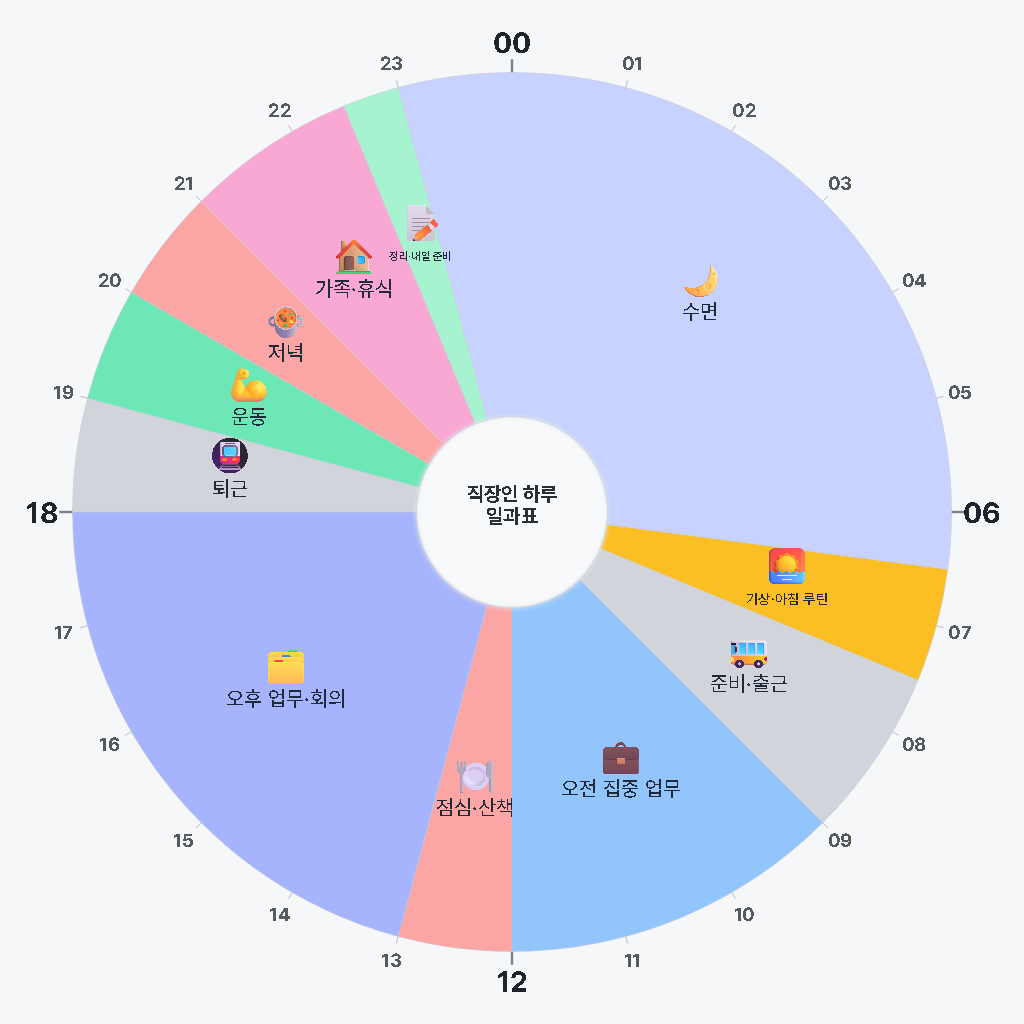
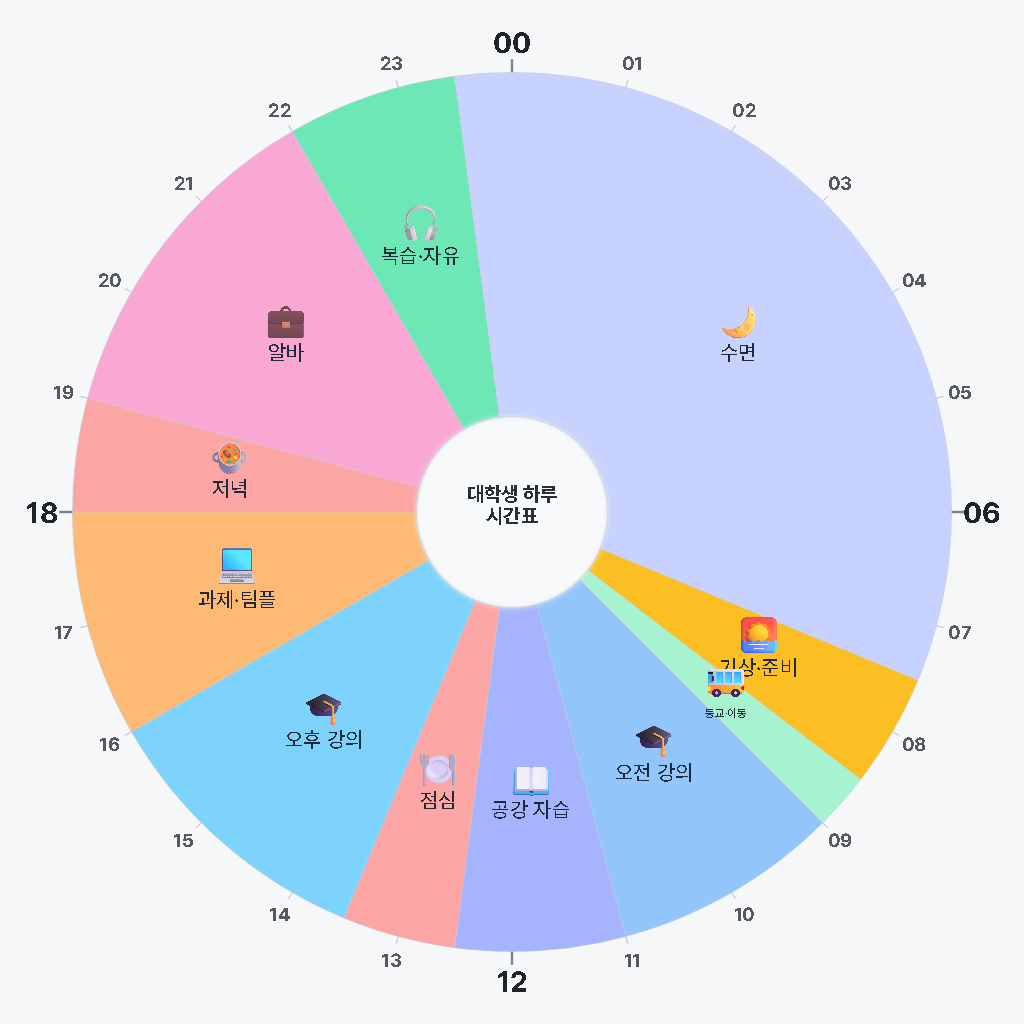
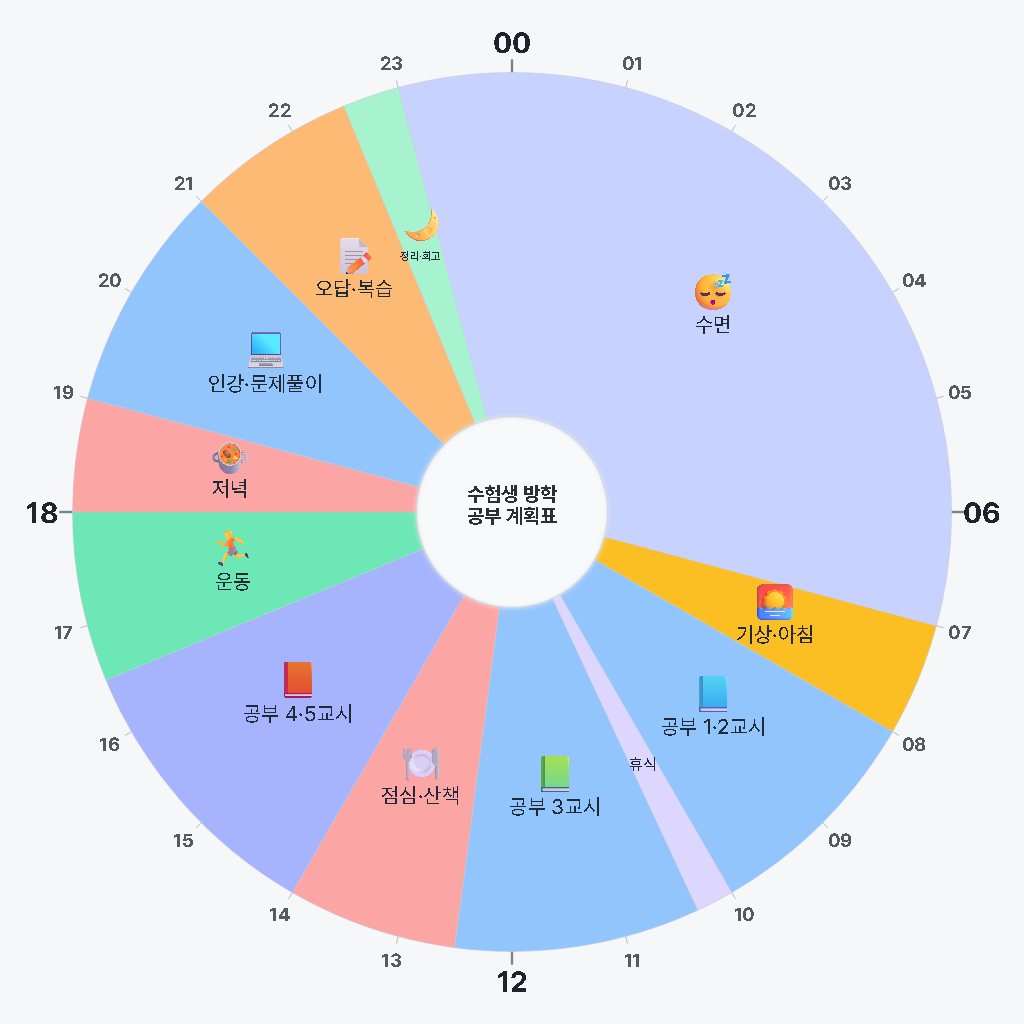
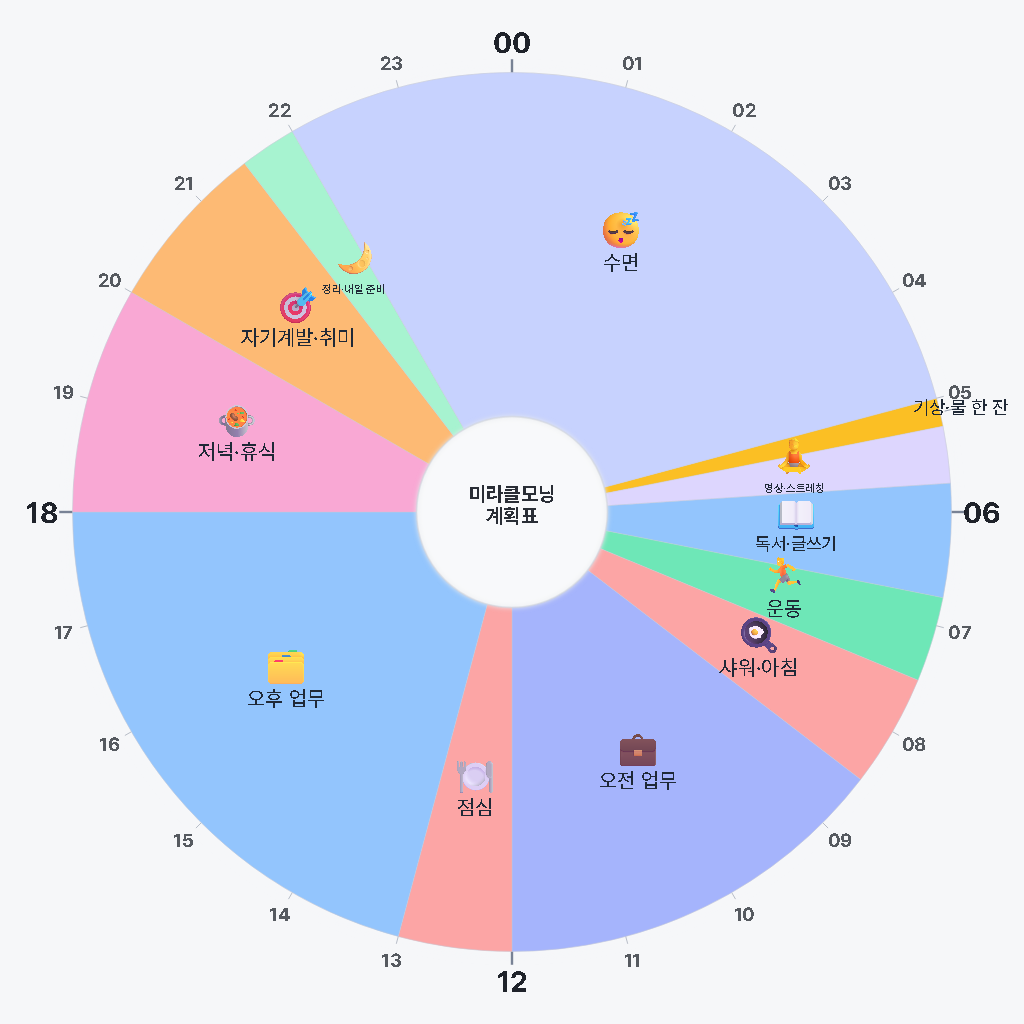
템플릿으로 바로 시작Start from a template
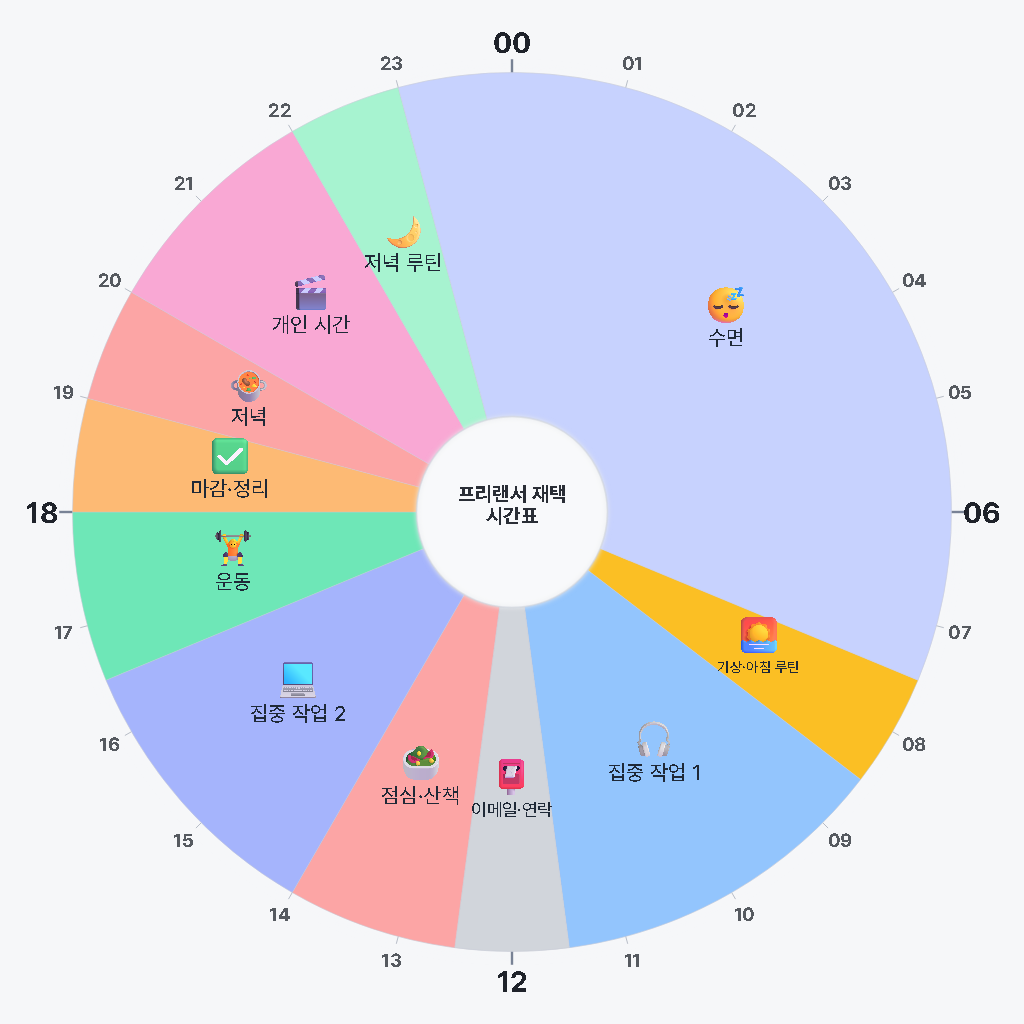
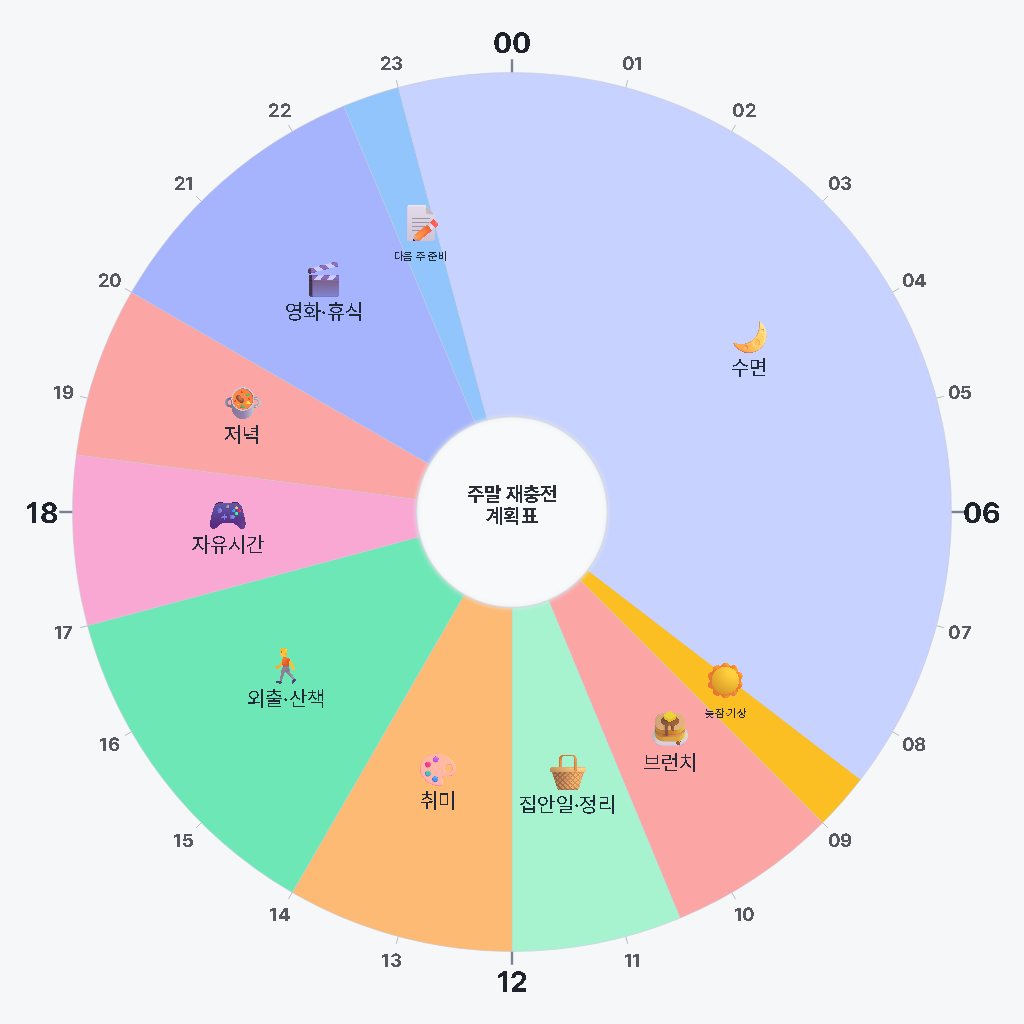
눌러서 열면 앱으로 바로 불러와 고칠 수 있습니다.Open one to load it into the app and make it yours.
잘 쓰는 팁Tips
- 블록마다 이동·식사·휴식 시간을 넣으면 계획이 현실에 가까워집니다.Put travel, meals and breaks inside the blocks — the plan gets closer to the real day.
- 기록 모드로 실제 하루를 기록해 계획과 비교해 보세요.Use record mode to log the real day and compare it with the plan.
- 상황에 따라 고르는 방법은 생활계획표 출발점 찾기에 정리했습니다.For choosing a starting point by situation, see the life-planner guide.
자주 묻는 질문FAQ
생활계획표 만들기는 무료인가요?
네. 원형 생활계획표 편집, 프리셋, 이미지·PDF 저장은 회원가입 없이 무료입니다.
만든 생활계획표를 인쇄할 수 있나요?
내보내기에서 PNG 이미지나 PDF로 저장해 인쇄할 수 있습니다.
Is the schedule maker free?
Yes. Editing the circle planner, presets and image/PDF export are free with no sign-up.